
Create Your QR Code
Generate a customized QR code instantly.
Customize QR Code
QR Code Preview
Your QR code will appear here.
How to Create a Free QR Code in 3 Simple Steps
Select QR Code type
Choose your QR Code type (static or dynamic) based on what you want it to do: open a URL, share a PDF, display a menu, share contact details, and more.
Customize it your way
Add your details, change the color, style your QR Code, add a logo, and test it in real time before downloading.
Download & share
Pick PNG, or SVG format, hit download, and you're all set to share it anywhere!
Frequently Asked Question
2: Design & Customize
3: Download & Scan
Yes, Tapify’s QR Code Generator is free to use. You can create QR Codes for URLs, text, WhatsApp, Wi-Fi, contact information, email, phone numbers, SMS, and Google Maps. You can generate your QR Code online and download it without needing specialized software.
A static QR Code stores the information directly inside the QR Code. Once created, the content cannot be changed without generating a new QR Code.
A dynamic QR Code uses a redirect link, allowing the destination or information to be updated later without changing the printed QR Code. Dynamic QR Codes can also support features such as scan tracking and analytics, depending on the service used.
A standard static QR Code does not expire. As long as the information encoded in it remains valid, the QR Code can continue to work.
For example, if you create a QR Code containing your website URL, it can continue working as long as that website URL remains active. Dynamic QR Codes may depend on the service or redirect URL that manages them.
QR Codes themselves are generally safe to scan, but the content they link to may not be. A QR Code can direct you to a website, download, payment page, or other online content.
Always check the destination URL before entering sensitive information, downloading files, or making payments. Only scan QR Codes from trusted sources.
No. A static QR Code does not have an automatic expiration date. It can continue working for as long as the encoded content, such as a website URL, phone number, or email address, remains valid.
However, if the destination website is removed or the information encoded in the QR Code changes, the QR Code may no longer work as expected.
Yes. You can create a QR Code for a long URL using Tapify’s QR Code Generator. However, longer URLs generally produce more complex QR patterns, which can make the code harder for some cameras to scan.
For the best scanning experience, use a short, clean URL whenever possible and maintain good contrast between the QR Code and its background.
There can be several reasons why a QR Code isn’t scanning correctly. Common issues include poor image quality, insufficient contrast, an overly small QR Code, damaged sections, or an invalid destination URL.
Make sure your QR Code has a clear contrast between the code and background, is large enough to scan, and isn’t heavily distorted or covered by other graphics.
It depends on what information the QR Code contains.
A QR Code can be scanned without an internet connection because the information is stored in the code itself. For example, a QR Code containing plain text or contact information can be read offline.
However, actions such as opening a website, Google Maps location, or online form require an internet connection.
Tapify’s free QR Code Generator creates static QR Codes. Static QR Codes don’t require a subscription or ongoing service to keep the encoded information available.
Dynamic QR Codes are different because they typically use a managed redirect URL and may include features such as editing the destination after printing, scan analytics, and campaign tracking.
Some users prefer to avoid QR Code services that rely on short URL redirects because the QR Code depends on a third-party redirect service. If that service changes its policies, shuts down, limits access, or changes the destination, the QR Code could potentially stop working.
Yes. Tapify’s QR Code Generator allows you to customize your QR Code by choosing different QR and background colors. You can also select the QR Code size to create a code that fits your website, business materials, packaging, menus, posters, or marketing campaigns.
A logo can be added to a QR Code using a QR Code generator that supports logo customization. When adding a logo, keep it relatively small and positioned in the center of the QR Code so that enough of the QR pattern remains visible.
Note: Tapify’s current free QR Code Generator focuses on creating customizable QR Codes without logo embedding. Logo-based QR designs can be introduced as an advanced feature in the future.
Yes, excessive design changes can affect QR Code scanning. Using very low contrast, covering too much of the QR pattern, removing the quiet zone around the code, or making the QR Code too small can make it difficult to scan.
For reliable scanning, use high contrast, leave enough white space around the QR Code, and avoid covering important parts of the QR pattern with graphics or logos.
If TQRCG refers to Tapify QR Code Generator, yes. Tapify’s QR Code Generator is free to use for creating and downloading static QR Codes.
You can generate QR Codes for URLs, text, WhatsApp, Wi-Fi, contact information, email, SMS, phone numbers, and Google Maps without needing a paid subscription.
Tapify’s current QR Code Generator is available as a free static QR Code generator, so there is currently no upgrade required to use the basic generator.
If Tapify introduces premium features such as dynamic QR Codes, scan analytics, editable destinations, logo customization, or advanced QR designs, users will be able to upgrade according to the available plans and features.
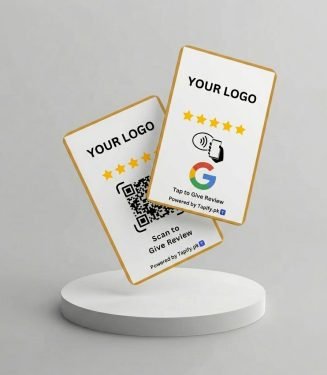 Customized Digital NFC Business Card